Playground
Try masking without writing code, using the Playground in the panel. Live preview, ready-made examples, and chat.
The fastest way to try masking is the Playground in the panel. You write no code: you paste the text, and you see the masked version and the model’s response on the same screen.
Masking preview
As you type the text, the panel highlights the detected personal data instantly. Each category is highlighted in its own color; the masked output sits right next to it. Before you send a request, you know the final form of the text that will go to the model.
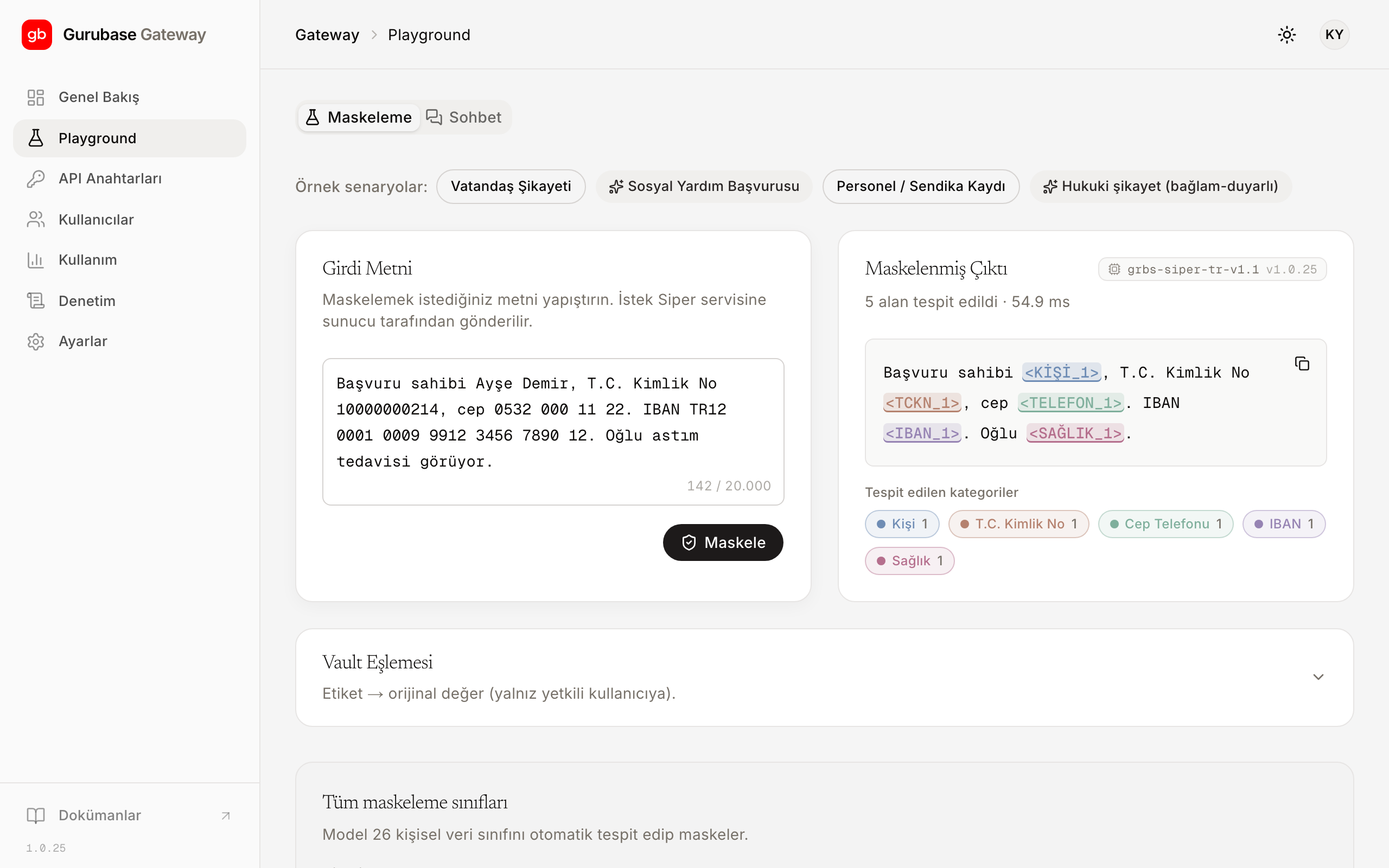
Ready-made examples
You can start with one of the ready-made examples; it looks like this:
Girdi : "Ayşe Demir, [email protected], 0532 000 11 22'den ulaşılabilir."
Maskeli: "<KİŞİ_1>, <EPOSTA_1>, <TELEFON_1>'den ulaşılabilir."Chat
You can go beyond the preview and try the flow end to end:
- Type the text; the masked preview appears.
- Send it; the Gateway forwards the masked text to the model.
- The response streams in; placeholders are preserved in the response as-is.
This way, the masked form of the text going to the language model is in front of you at every step.
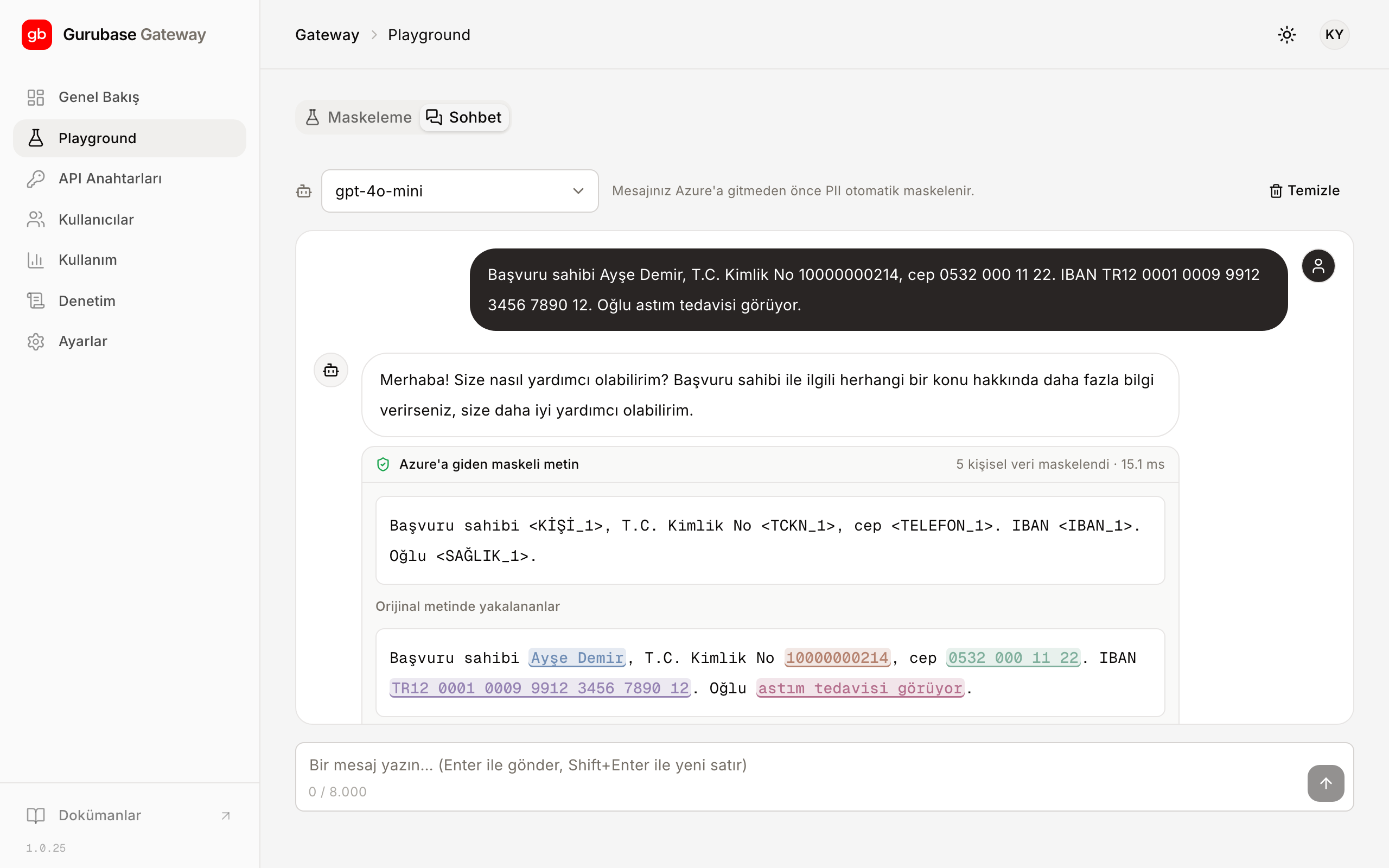
To bring the flow you see here into your application, continue with the Gateway integration guide; the full list of masked categories is on the Categories page.